Service Simulation Overview
← Back to product page
Service Simulation lets you create local servers that respond with pre-configured responses. Use it to test your application in isolation when real external services are unavailable, unstable, or costly to use. The view is titled Service Simulation.
Why Simulate Services?
| Scenario | How Simulation Helps |
|---|
| External API is down | Simulate it locally, keep testing without dependency |
| Rate-limited or costly API | Avoid hitting real endpoints during development |
| Reproducing specific scenarios | Configure exact responses for edge cases, errors, timeouts |
| Testing retry/fallback logic | Switch between success and error responses mid-test |
| Parallel development | Frontend team tests against simulated backend before it's built |
Key Concepts
| Concept | Description |
|---|
| Simulation Server | A local server (HTTP, HTTPS, or HTTP/2) listening on a configured port that answers requests for one or more URL handlers. |
| URL Handler | Maps a URI prefix + service metadata to a set of configured responses. One row in the Operations grid. |
| Saved Response | A pre-configured response with a status code, headers, body, and optional delay. Each handler has one default response plus any number of named responses. |
| Response Condition | A rule (or group of rules) that decides when a named response is returned. The default response is used when no condition matches. |
| Response Template (Status & Type) | For typed services, a predefined response definition — an HTTP status plus body structure (e.g. 200 OK, 404 Not Found, Custom) — that you select in the Edit Response window. |
| Mock / Simulation | The feature is called Service Simulation; exported configuration files use the legacy .mockconfig.json extension. Both terms refer to the same capability. |
How It Works
Each incoming request is matched against the configured URL handlers. If a handler matches, its named responses are evaluated in order. The first matching condition's response is returned. If no condition matches, the default response is used.
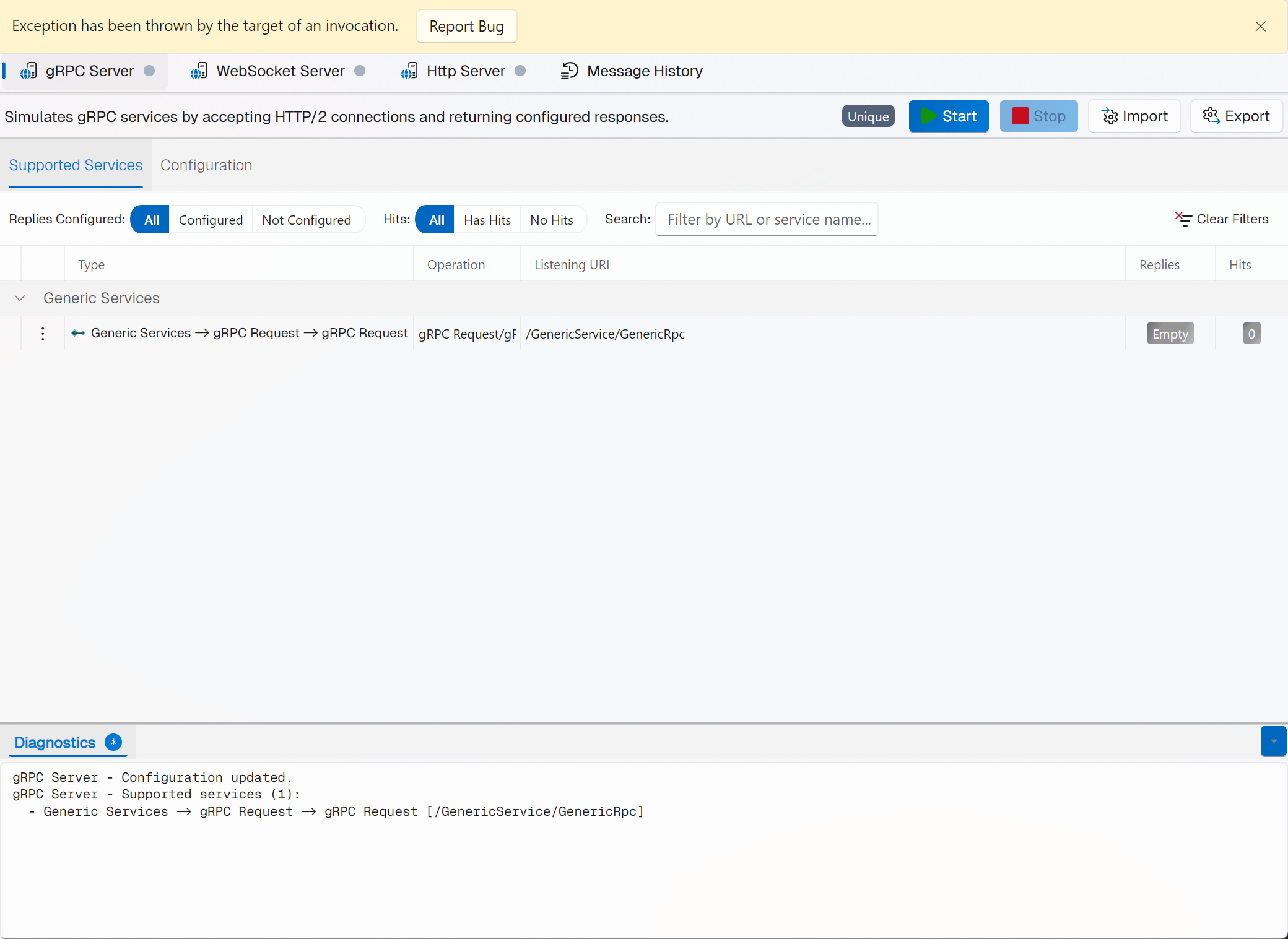
The Service Simulation View
| Zone | Purpose |
|---|
| Server selector (top) | Horizontal strip of available servers, each showing an icon, its name, and a colored status dot. A Message History entry is also listed (workspace scope only). |
| Toolbar | Start, Stop, Import, Export, plus an instance tag. |
| Operations tab | Filter bar and a DataGrid of URL handlers (grouped by application). Columns: Actions, Type, Operation, Listening URI, Responses, Requests. |
| Configuration tab | Server-level parameters (e.g. Binding Address, Http Port, Https Enabled, Https Port). |
| Diagnostics | Collapsible live text log of incoming requests and matched responses. |
Supported Protocols
| Protocol | Icon | Methods | Condition matching |
|---|
| SOAP |  | POST (SOAP 1.1 / 1.2) | SOAP action, header values, body content, XPath |
| REST / HTTP | http | GET, POST, PUT, DELETE, PATCH, HEAD, OPTIONS | URL path, query string, headers, body content, JSON Path, XPath |
| GraphQL | schema | query / mutation | Per-operation typed responses |
| gRPC |  | Unary and Streaming RPC (HTTP/2) | Protobuf metadata / streaming frames |
| WebSocket | lan | connect / messages | Message content |
| Kafka | api | produce / consume | Message content |
See Also