Built-in Tools
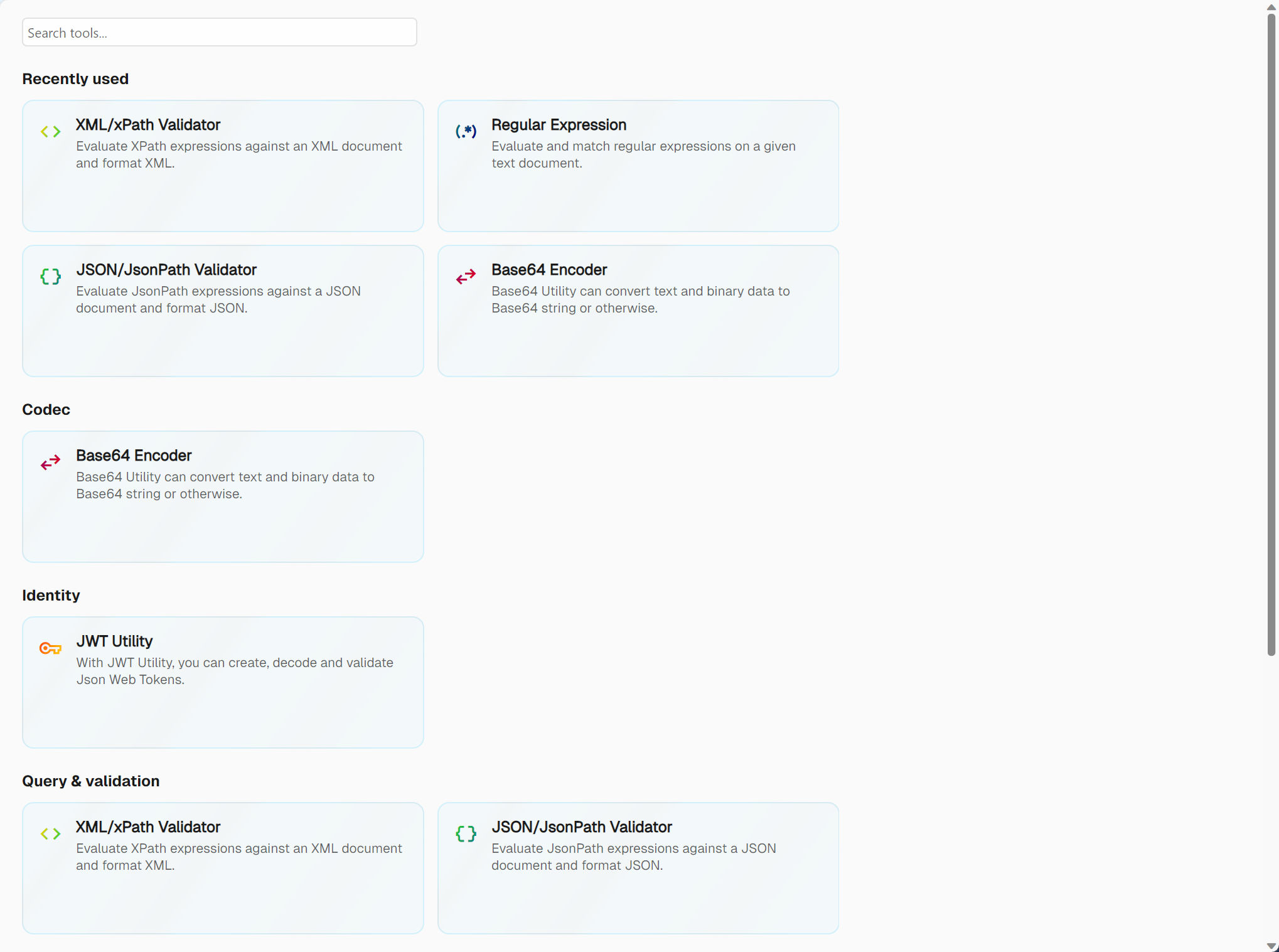
Aethrix Studio includes a set of utility tools, reachable from the Test Utilities item in the footer. The landing page is a catalogue: a search box, a Recently used row, and one section of cards per category — Codec, Identity, Query & validation, Test design, Time & identifiers, Runtime. A category gets its own heading once it holds at least two tools; a tool that is alone in its category is shown under Other, and still finds its way into a search for that category. Each card carries the tool's icon, its name, a short description and, for a tool that comes from an extension package, the package name.
| Tool | Description |
|---|---|
| Base64 Encoder | Encode text or binary files to Base64 / Base64Url; decode back to original |
| JWT Utility | Generate signed JWTs with custom claims, or decode and validate existing tokens |
| XML/xPath Validator | Evaluate XPath expressions against an XML document; auto-generate XPath from cursor position |
| JSON/JsonPath Validator | Query JSON with JsonPath; format with syntax error highlighting; live path display |
| Regular Expression | Test regex patterns against sample text; results in a sortable table with capture groups |
| Report Viewer | Open and inspect saved test execution reports with pass/fail charts and drill-down trees |
The catalogue also holds Test Design (ISTQB test design techniques), Message History (historized sent/received messages), URL Codec, Escape / Unescape, String Case, Timestamp and GUID Generator. Tools contributed by an extension package appear in the same list, under the category the package declares — hashing is one of them; see Toolkit Extensions.
Navigation
Open a tool by clicking its card, or by searching for it — the command palette lists every tool, contributed ones included. Once a tool is open, its name and icon take the place of the category heading in the page header, and the back arrow returns you to the catalogue exactly as you left it.